Student Cockpit
The Student Cockpit offers students a structured overview of their study progress and completed achievements to date. Its goal is to present the current status of studies transparently and highlight possible risks or outstanding requirements early. The Student Cockpit complements existing online functions such as the grade report. The legally binding source remains the data available in the exam management system (QIS-POS).
Accessing the Student Cockpit
Login
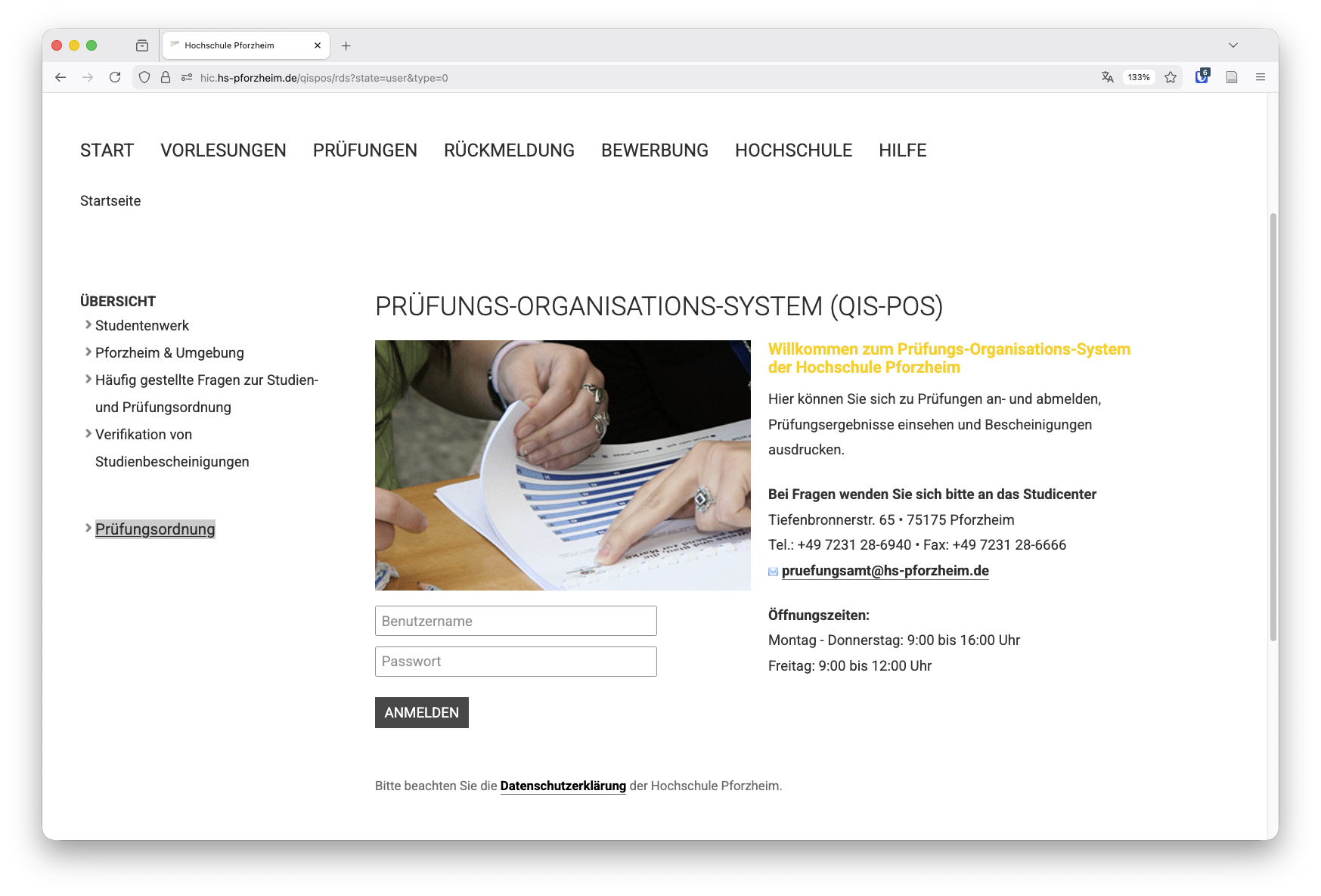
Access to the Student Cockpit is provided through the QIS-POS exam management system. Login notes:
- Access via the university intranet
- No VPN connection required
- Login with your regular university username and password
Access Paths


Open the Student Cockpit
After login, the Student Cockpit can be opened from the selection menu on the left side.

Structure and Functions
Interactive Introduction
On first access, an interactive tour starts automatically and explains the different sections of the Student Cockpit. The tour can be started again at any time using the icon at the top right.
Master Data
In the top section of the Student Cockpit, the following master data is displayed:
- matriculation number
- name
- study program
- start semester
- current subject semester
Early Warning System
The Student Cockpit contains an integrated early warning system that highlights critical situations in the course of studies.
Critical Study Events
The early warning system may show notices such as:
- third exam attempt
- extension of study period
- postponement of practical semester
In addition, a specific reason for the warning can be shown, for example outstanding exams from earlier study phases.
Advising and Support
If warning notices are active, students are asked to contact Student Services. In case of a failed third attempt, an additional notice refers to Central Student Advisory Services for support with further study planning or reorientation.
Study Achievements
Completed Workload per Semester
The Student Cockpit shows completed workload per semester as a target vs. actual comparison.
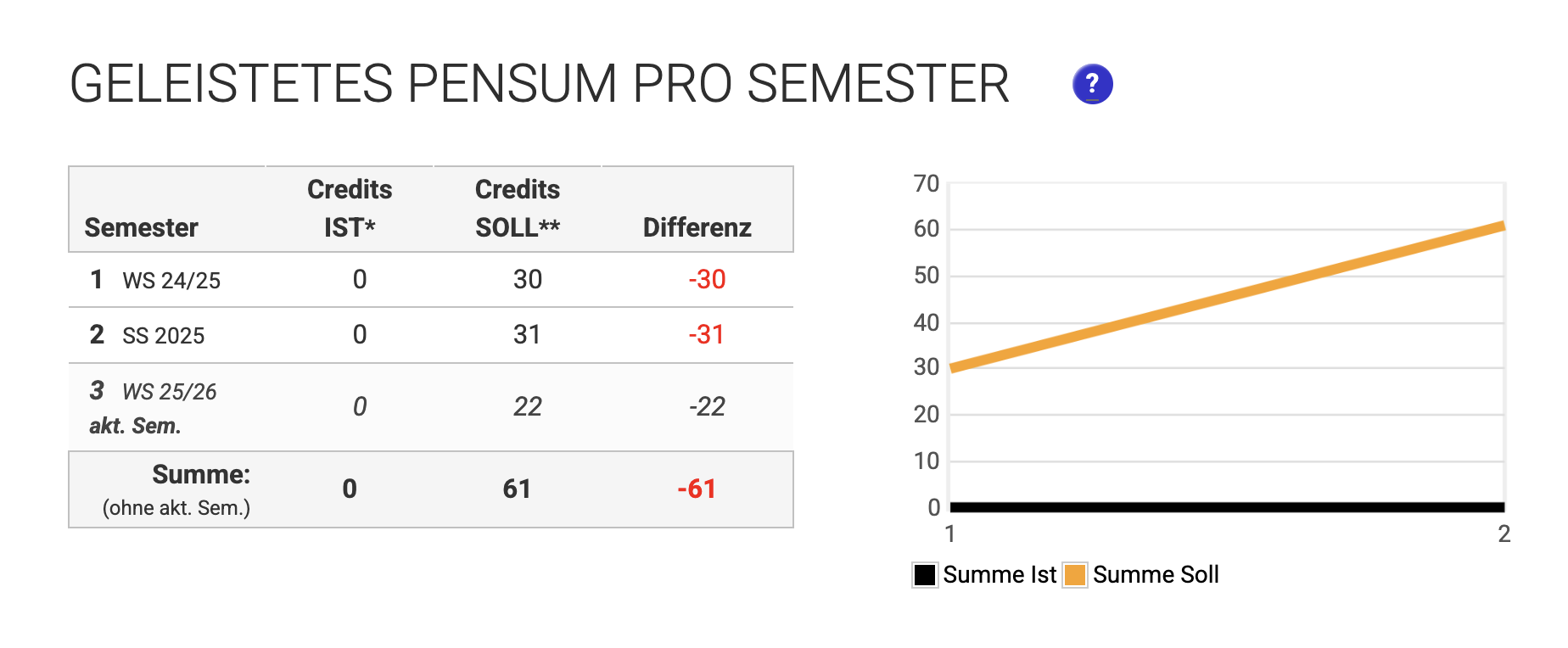
Notes on target vs. actual:
- Comparison of achieved credits with credits required by exam regulations
- Exams are assigned to the semester in which they were passed
- The current semester is not included in the total sum
Outstanding Requirements
This section lists all outstanding exam requirements from past semesters.
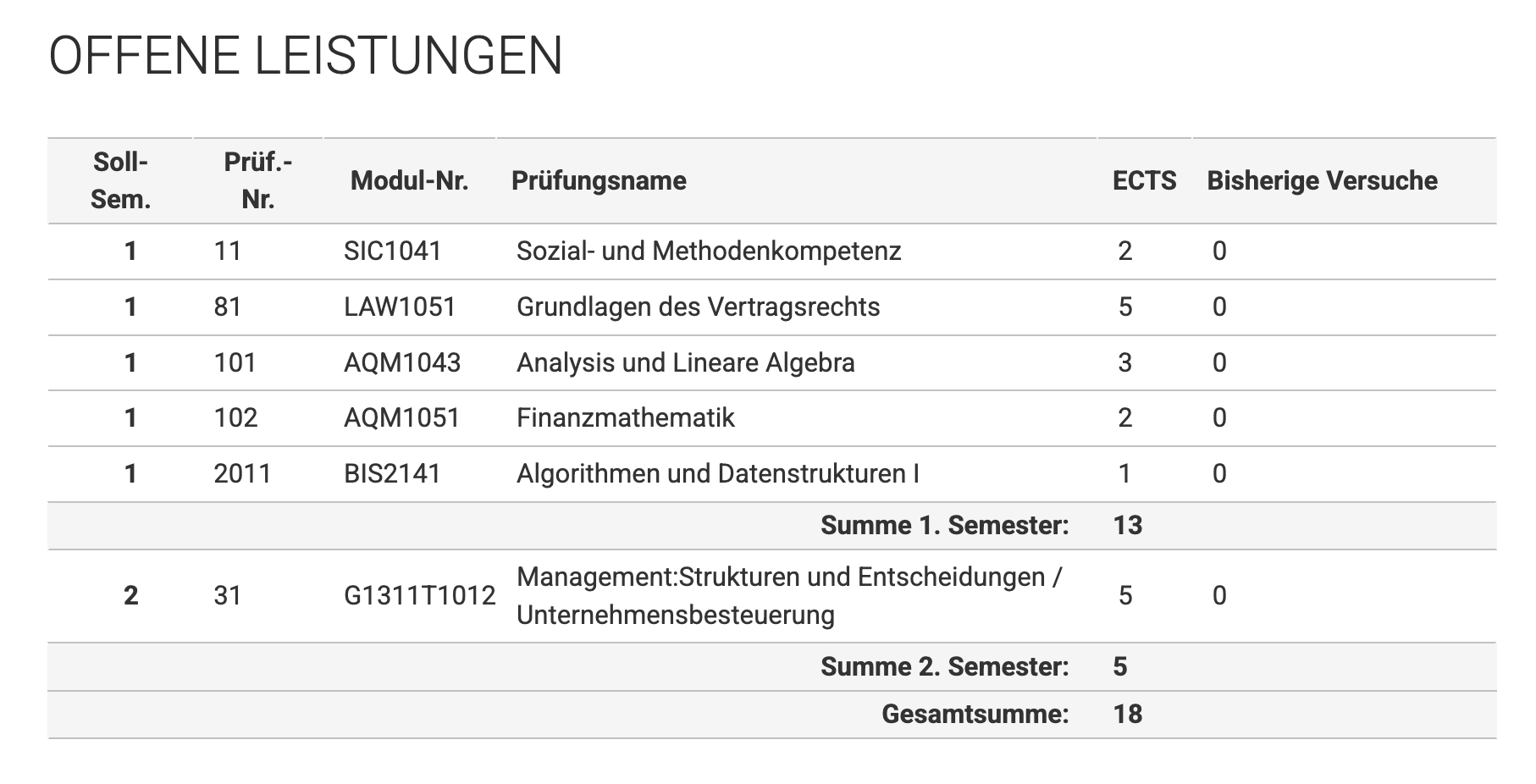
The overview includes:
- outstanding exams
- previous attempts
- withdrawals
Attempts already made are highlighted.
Achievements of Current and Future Semesters
This section shows already completed and planned achievements of the current and future semesters.
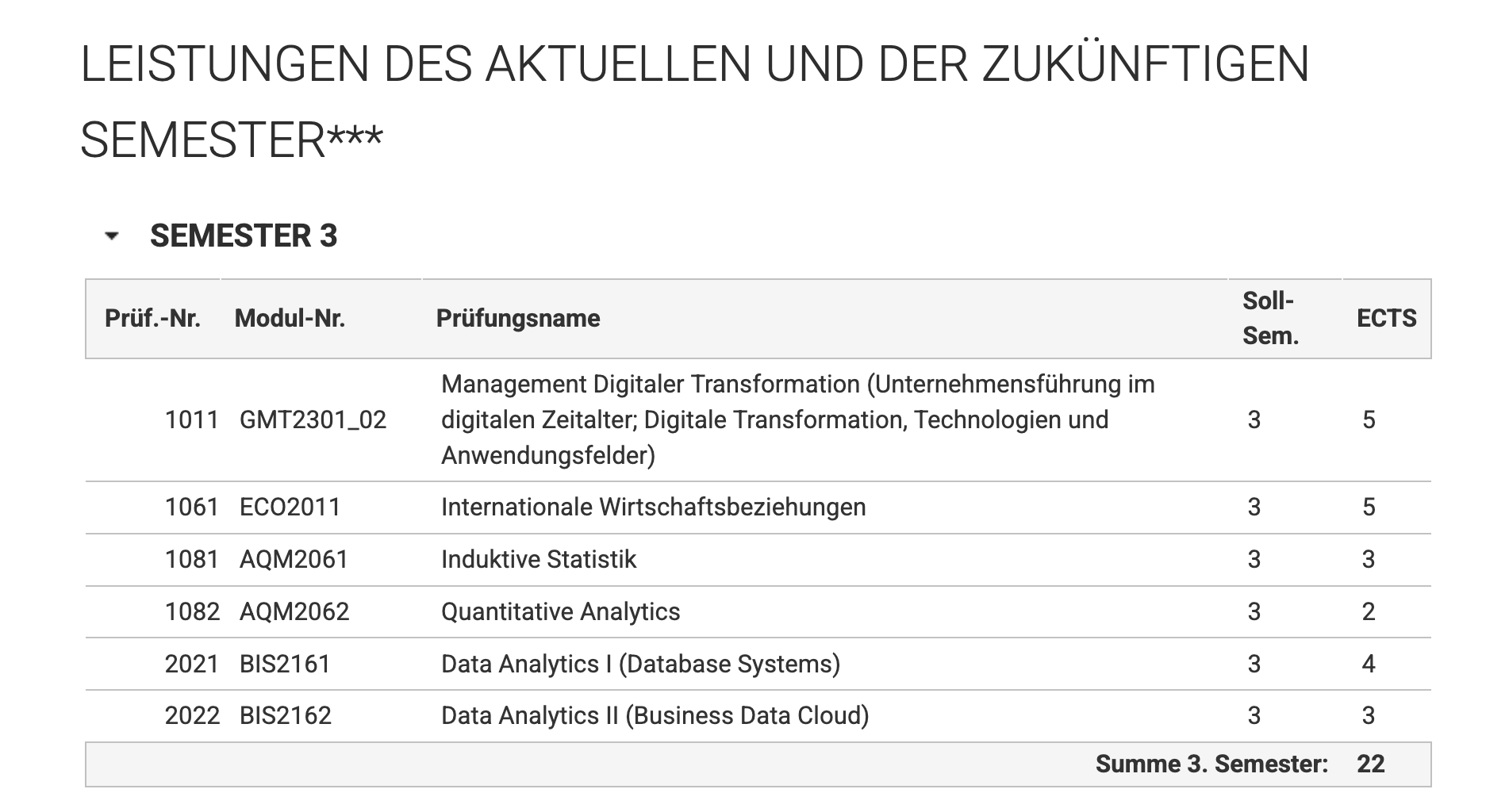
Note: With newer exam regulations, achievements from higher semesters may not yet be shown completely.
Note on Data Basis
The Student Cockpit is intended for orientation and study planning. For legally binding information, only official grade reports and documents in QIS-POS are authoritative.