Change Password with Webmail Client
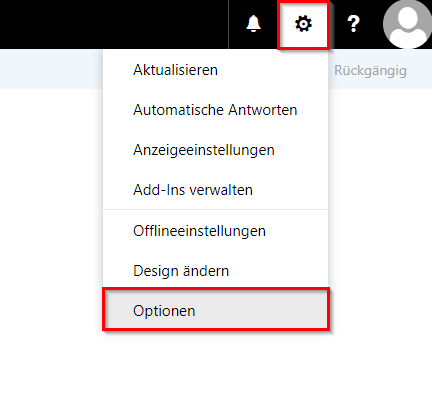
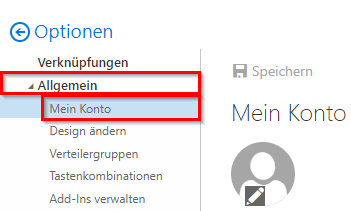
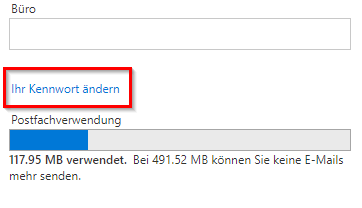
This guide explains how to change your university password through the Outlook Web App (OWA). The password change is done directly through the university webmail access at https://webmail.hs-pforzheim.de/ and is useful when you want to update your password regularly or need to change it for security reasons.
Requirements
- You know your current university password.
- You can successfully sign in to Outlook Web App (OWA).
- The password change is applied to all connected university IT systems (for example email, WLAN, Moodle, VPN).
Note: After changing your password, you may need to enter the new password again on your devices (for example smartphone, laptop, WLAN).
Steps to Change the Password
Last updated on