Student ID Card
You will receive your personalized student ID card during orientation events or at the latest when lectures begin. This small card is a true all-rounder and gives you access to many campus functions:
- Student ID (for example discounts)
- Cashless payment in the cafeteria, coffee bar, and at printers
- Library card for borrowing books
- Semester ticket for public transportation in the VPE network
- Identity verification (for example during exams)
- Door access (main entrances and computer rooms)
- Use of washing machines in student residences
Important Notes on Use
The chip card is a small electronic device. Inside the card there are two microchips as well as antennas for contactless communication (e.g., with door openers, cafeteria checkouts, and printers). Please handle the card carefully:
- Do not bend the card or expose it to strong pressure.
- Do not store it together with many coins in your wallet or in your back pocket.
- Do not use the card as a tool (e.g., for scraping ice or opening doors).
Damage may cause the chips or antennas to stop functioning.
Loss or Defect of the Card
- In case of loss of the card, please contact the Studi-Center.
- In case of defects of the card, also contact the Studi-Center.
- For problems with printers/copiers, the Campus IT Service can help.
- For problems with door access, contact Technical Operations.
If a new card is issued, the old card automatically becomes invalid. Only one valid card can exist at any time.
Technical Notes
On the front side you will find:
- Your photo, name, and matriculation number
- the validity date of the current semester
On the back side you will find, among other things, orientation markings for card readers as well as the card number, which is required, for example, when applying for laboratory access permissions.
Before first use, the card must be activated at a university printer. Place the card on the designated login area and follow the instructions. The student ID must be validated again every semester as part of re-registration. This is done at one of the two terminals in the glass rooms on the ground floor of building W1. You can also add printing credit there.
You can add credit for cashless payment in the cafeteria and coffee bar at the terminals in the entrance area of the cafeteria building or in building W1 (near the coffee machine). After meal service, only your student ID is scanned at checkout for payment.
With the Autoload function, the cafeteria card is automatically recharged at cafeteria/coffee bar checkout when credit is low. Autoload also gives you an overview of your spending. More information is available from Studierendenwerk.
Appearance of the Student ID Card
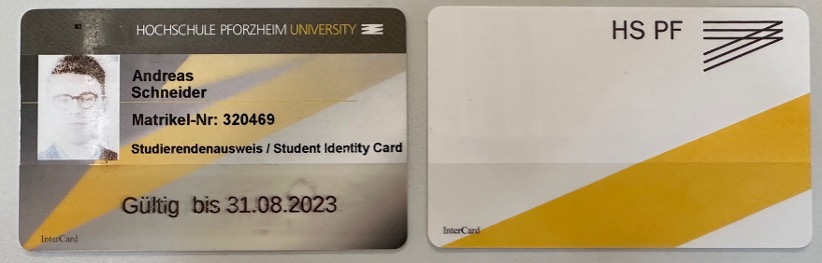
On the left, you can see the front side of the student ID in the previous design; on the right, the new design. The front shows your name, matriculation number, and photo. The lower part of the card is reserved for the validity of the semester ticket (for example “Valid until …”). The back contains the reduced design with university logo and color scheme.
Semester Ticket (Bus & Train)
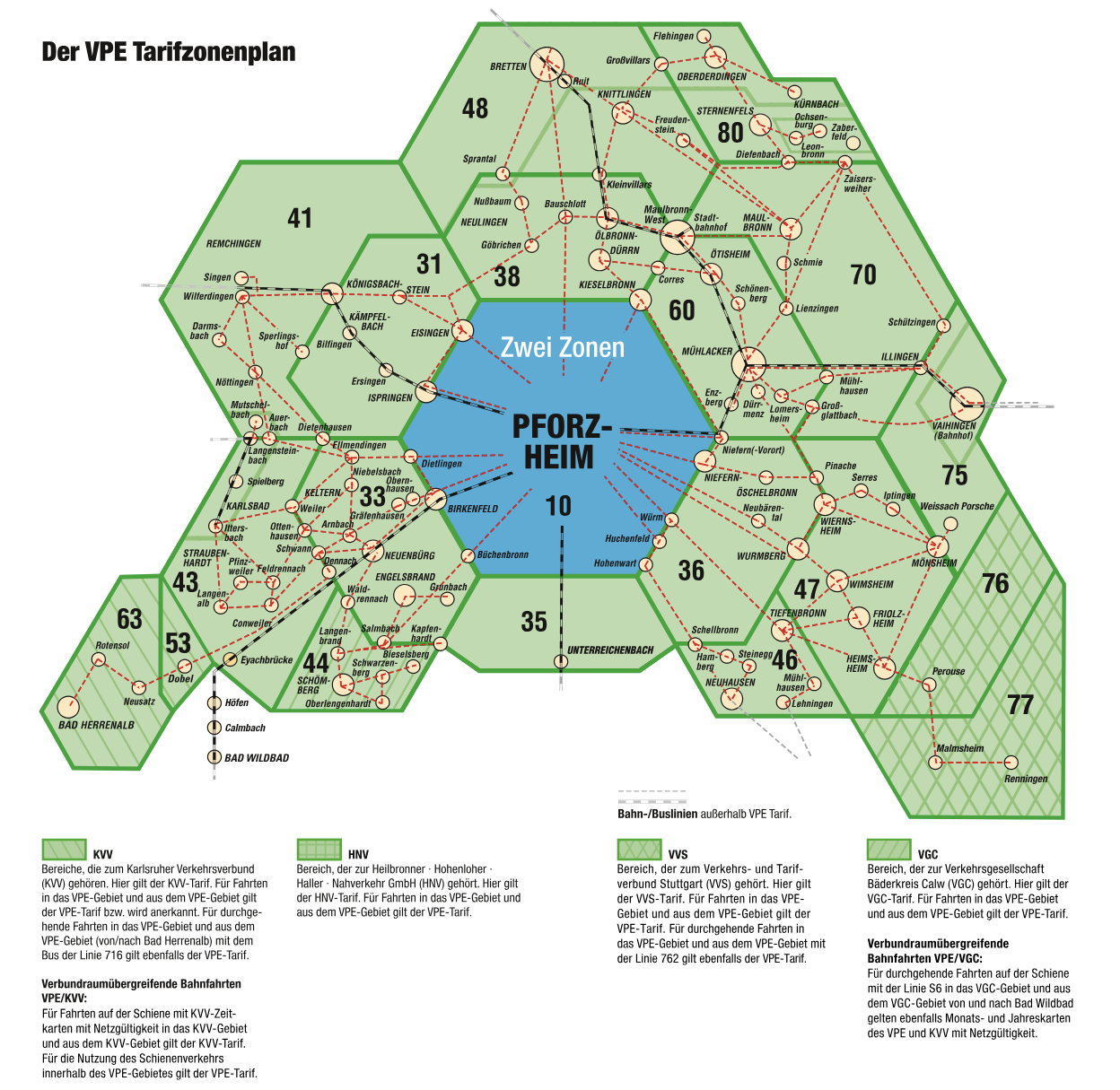
You can travel free of charge by bus and train in Pforzheim and surrounding areas (fare zone area of the Verkehrsbund Pforzheim-Enzkreis - VPE). Until your student ID is issued, you can use your admission letter together with your personal ID card or passport. The ticket is valid only for you and is non-transferable. It is valid for the following period:
| Semester | From (Start) | To (End) |
|---|---|---|
| Winter semester | September 01 | February 28/29 |
| Summer semester | March 01 | August 31 |
Validity and Renewal of the Printed Validation
Validity and Location
The validity date always corresponds to the end of the respective semester. It can be renewed or updated at the validation machines on the ground floor of building W1 (2 terminals) or above the cafeteria “Holzgartenstraße” (1 terminal).
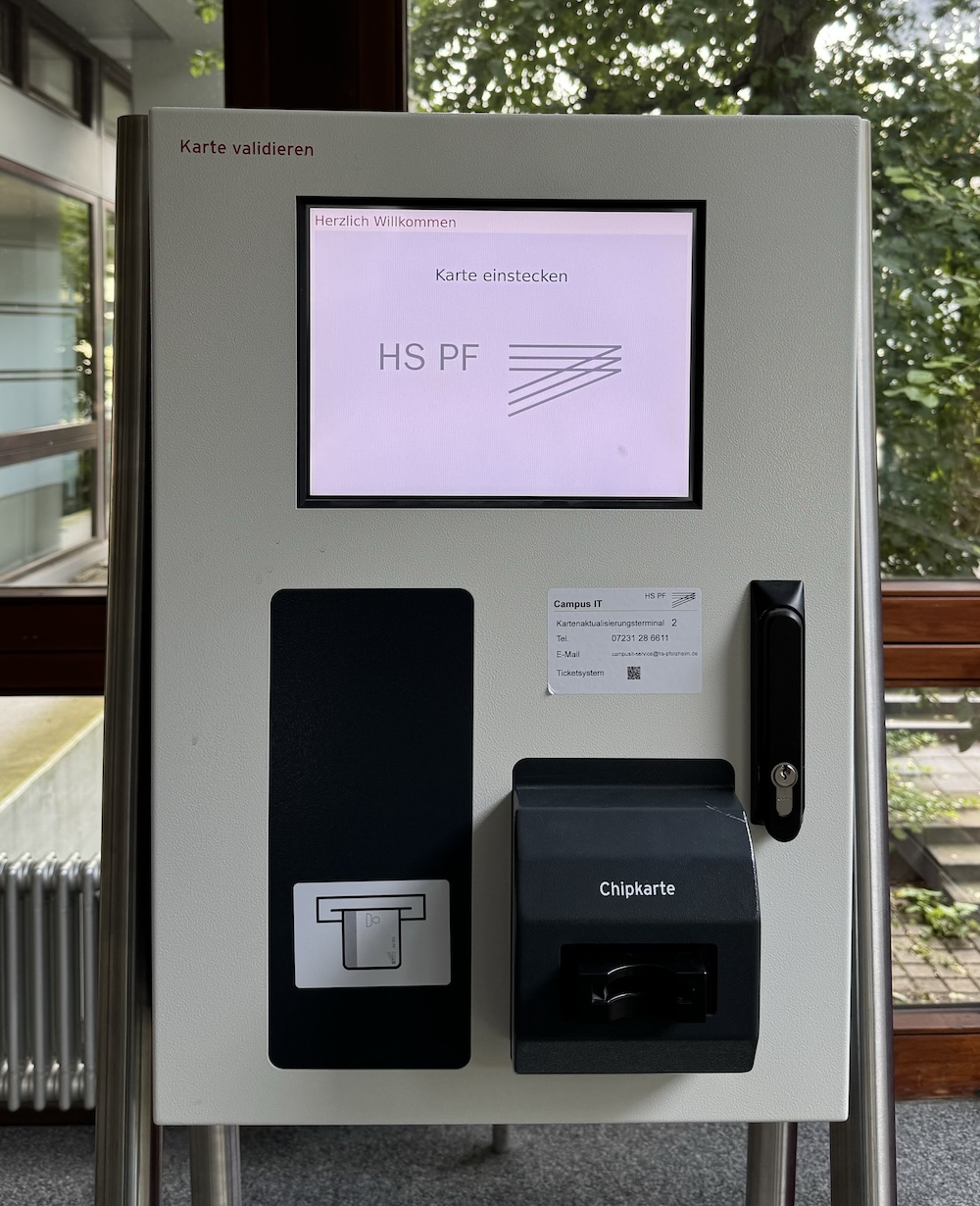
Inserting the Card
Insert the card with the front side facing up and the photo pointing in the arrow direction into the (blue-framed) card slot. Attention: force is not required here! The machine will pull in the card automatically when it is ready. Otherwise, there may be a malfunction that you should report to the Studi-Center. A wrongly oriented card is usually detected and will be returned without printing.