hsx - Android
On the Pforzheim University campus, students, staff, and professors should use the Wi-Fi network with the SSID hsx. This network offers higher throughput and direct access to university IT services (for example your personal network drive). An additional VPN connection is not required while using hsx.
Step 1
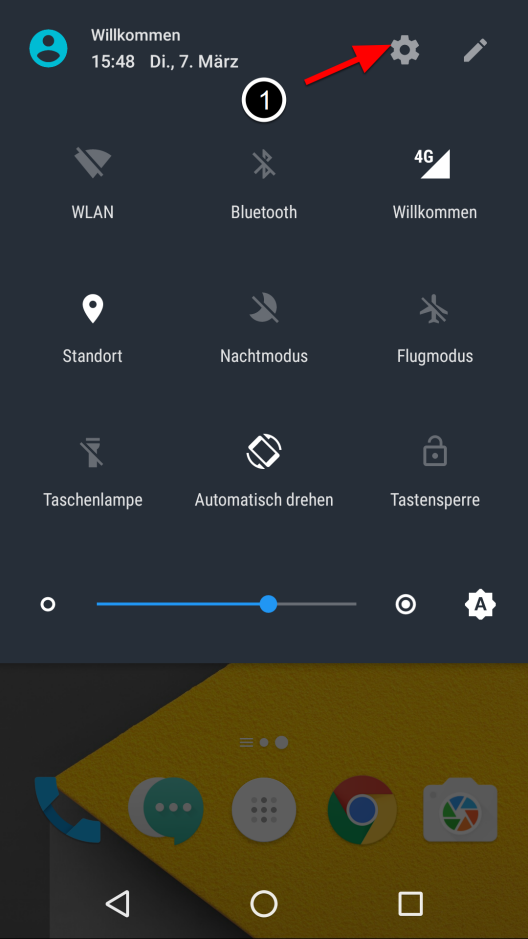
- Open “Settings”.
Step 2
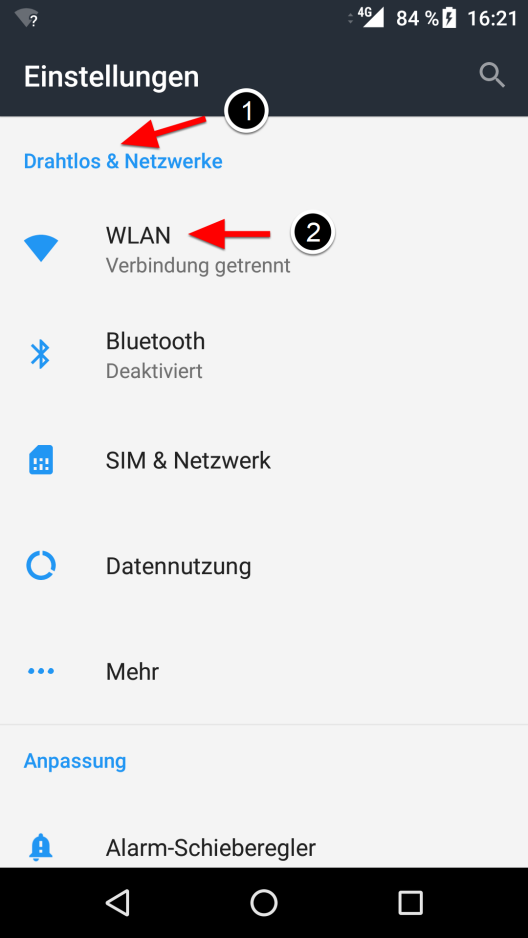
- In settings, select “Wireless & networks” and then “Wi-Fi”.
Step 3
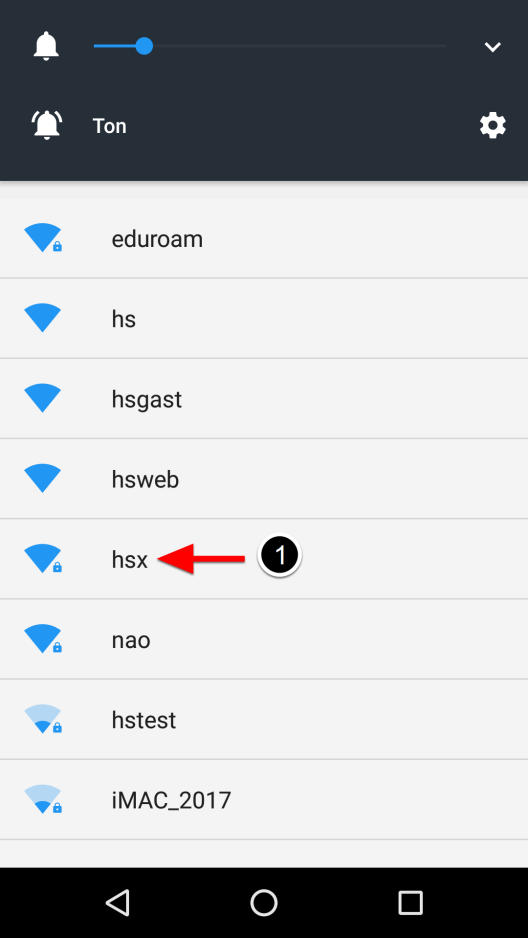
- Select the
hsxnetwork.
Step 4
- Enter the following settings:
Setting Value EAP method PEAP(default setting)Phase 2 authentication MSCHAPV2CA certificate Use system certificates Online certificate status Do not validate Domain checkpoint.hs-pforzheim.deIdentity Your username in the format fh\userAnonymous identity must be left empty Password Your university password
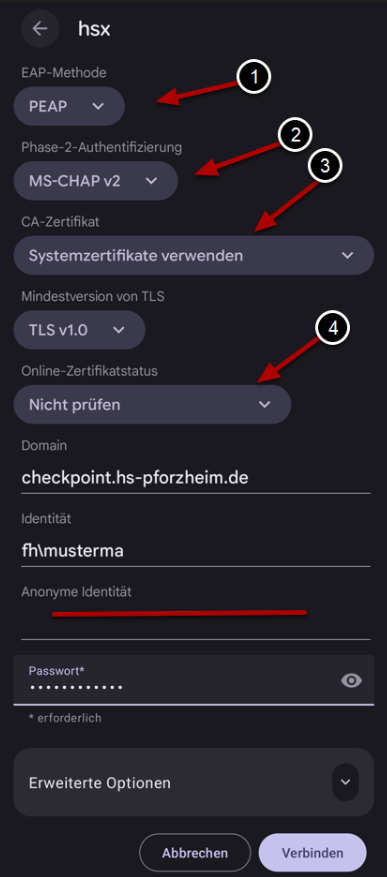
- Then tap “Save” or “Connect”.
Step 5
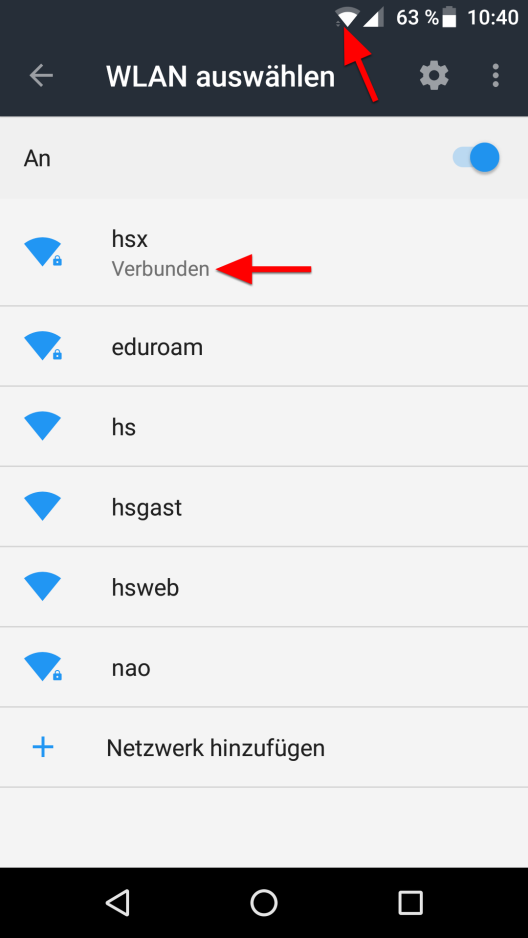
- You are now successfully connected to
hsx.
Last updated on