Printing, Copying, and Scanning
Printing follows the Follow‑Me principle. This means that after you send a print job, you can release it at any multifunction device on campus. Your documents will only be printed after you authenticate at the device.
- Printing is possible from PC pool computers as well as from personal Windows laptops.
- Mac devices are currently not supported.
- Personal devices must be connected to the university Wi‑Fi.
- You can scan documents
- to your university email address,
- save them on a USB stick,
- or store them in your personal university storage.
Further instructions for using the devices can be found directly at the printers as well as in the respective quick start guide.
Activating your print account
To use the university’s printing and copying system, you must activate your print account once. Activation is done by logging in at any multifunction device on campus.
To log in, place your university card on the card reader at the device and follow the instructions on the display.
Adding credit to your print account
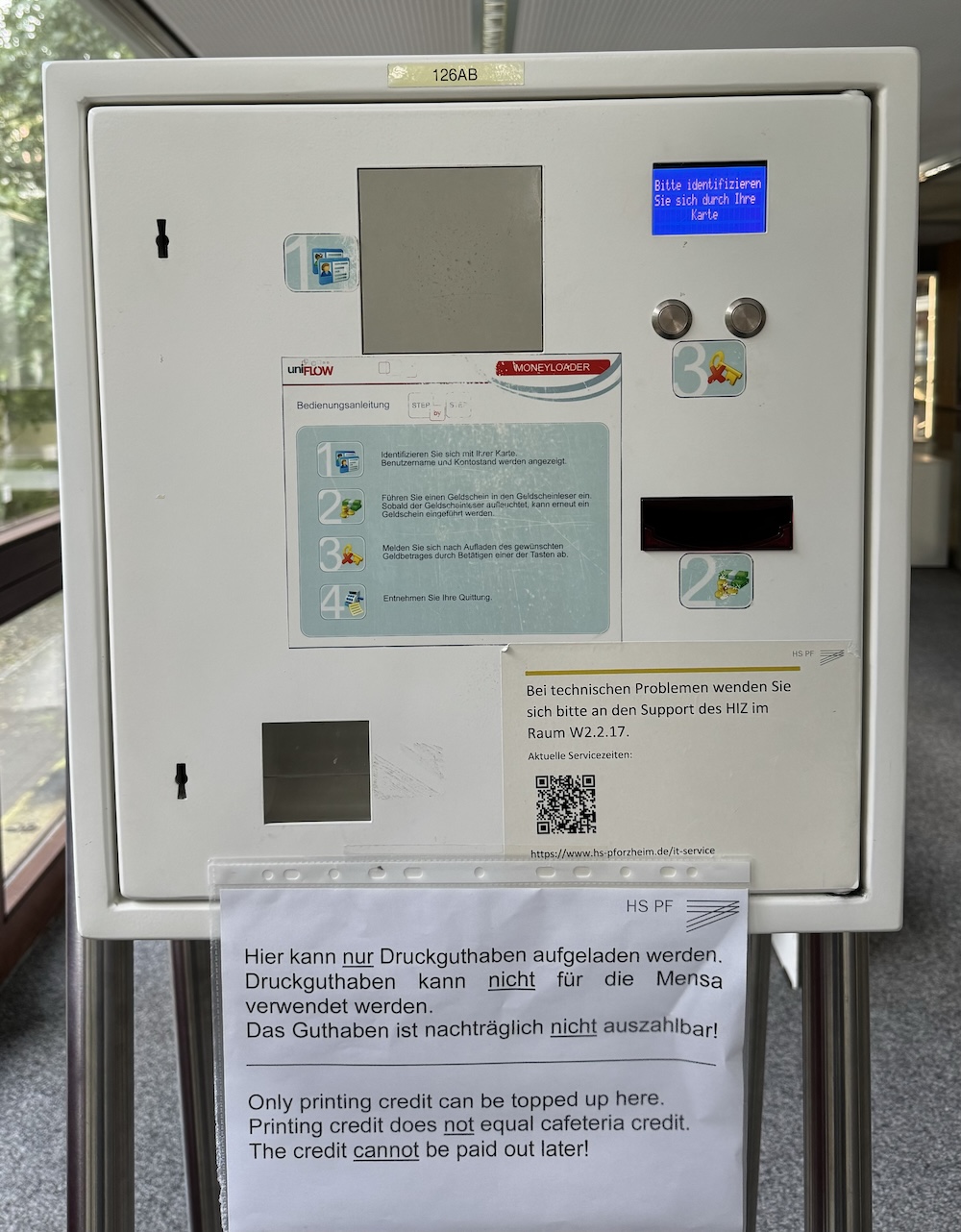
To print or copy, you need credit on your print account. You can add credit at the designated top‑up terminals:
- Tiefenbronner Straße 65 – Foyer W1
- Holzgartenstraße
Printing prices
| Leistung | Preis pro Seite |
|---|---|
| Schwarz‑Weiß | 0,04 € |
| Farbe | 0,12 € |
Expiration of unused credit
Your print credit is linked to your university account and can be used for the entire duration of your studies. After the university account expires (e.g., after exmatriculation), unused print credit will expire. Remaining balances cannot be paid out.